Readable across the room
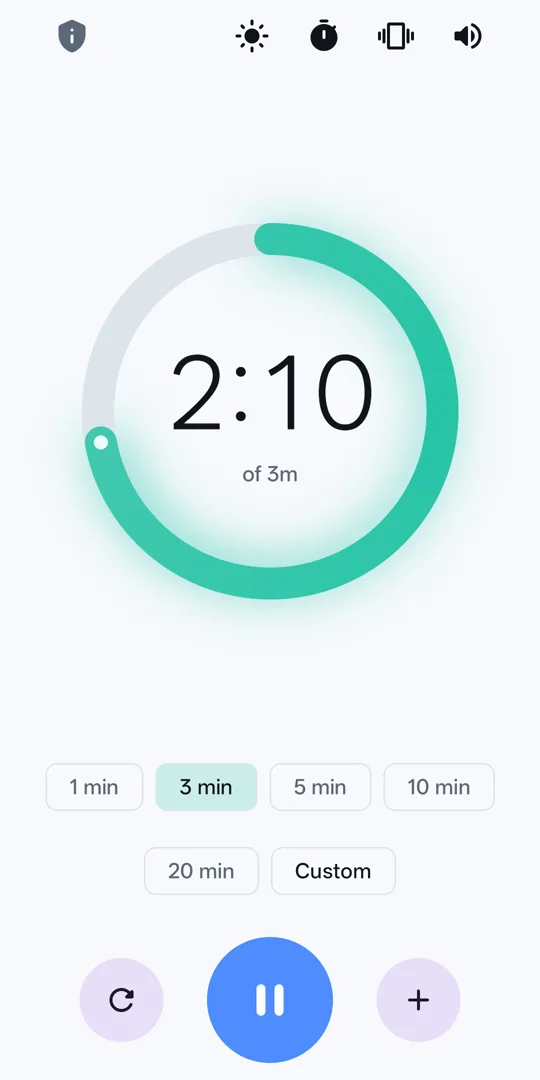
A large ring that empties clockwise. You see how much is left without stopping to read digits.
Visual timer for Android
A countdown timer you can read from across the room. The time left is a glowing ring that empties like a kitchen timer, so a glance tells you how long is left.
What it does
One screen, one gesture: pick a duration, watch it run, stop it when it's done.
A large ring that empties clockwise. You see how much is left without stopping to read digits.
Calm while there's time, amber under a minute, red for the final ten seconds.
1, 3, 5, 10 and 20 minutes, plus any duration you choose. Pause, resume, or add a minute mid-timer.
The countdown ticks live in the notification, and the alert lights up a locked phone when time is up.
An optional tick every second, then fifteen seconds of chime at alarm volume. Each one can be switched off.
Sleep, battery saver, the app being closed, even a restart. A running timer picks up exactly where it was.
Screens
Dark or light, following your phone or your choice.



Swipe to see more →
Accuracy
Most timers subtract a second, once a second, and quietly lose time whenever the phone is busy or asleep.
Countdown records the instant your timer will finish and works out what is left from the clock, from scratch, every time. The alert is scheduled through Android's alarm clock, so it fires on the second it is due, even if the app itself was closed.
Private by construction
Countdown doesn't request the internet permission, and Android won't open a network connection for an app that hasn't asked for one. That makes privacy a fact you can check, not a promise you have to trust.
Read the privacy policyQuestions
Yes. The countdown keeps going in the background and shows live on your lock screen. When it reaches zero the alert sounds and the screen wakes, even if the phone is locked.
The chime plays at alarm volume, so the ringer switch doesn't silence it. Do Not Disturb can, unless you allow Countdown as an exception in your phone's Do Not Disturb settings.
A timer has nothing to download and nothing to upload. Leaving the permission out keeps the app small, fast, and provably private.
Any phone running Android 8.0 or newer.
Email privacy@adev.in with questions, bugs, or ideas.